


Boston 25 News
4.21.33K Reviews
App Specs
- Version
- Varies with Device
- Updated On
- License
- Free
- Downloads
- 100,000+
- Developer
- Cox Media Group Inc.
- Categories
- News & Magazines
- Platform
- Android
Screenshots

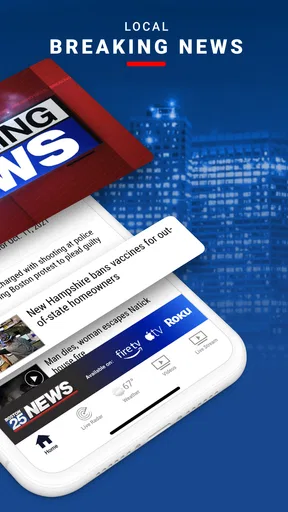
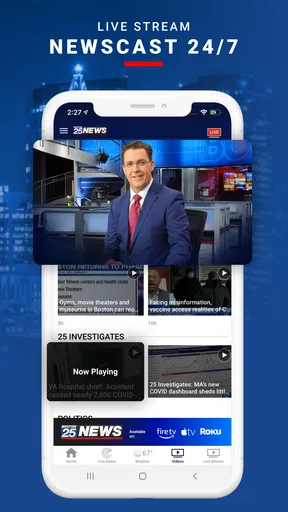
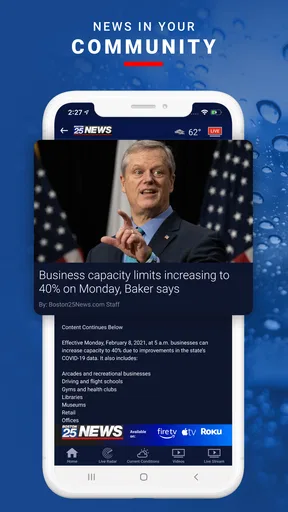
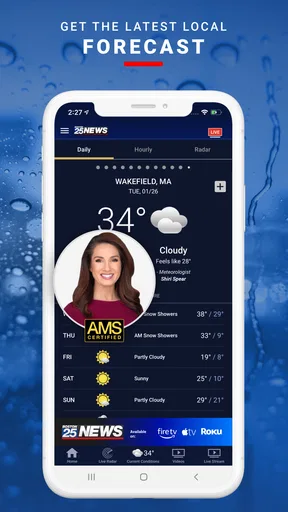
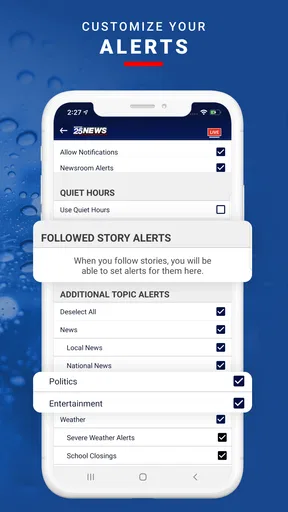
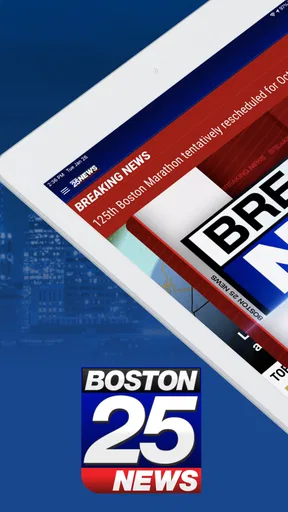
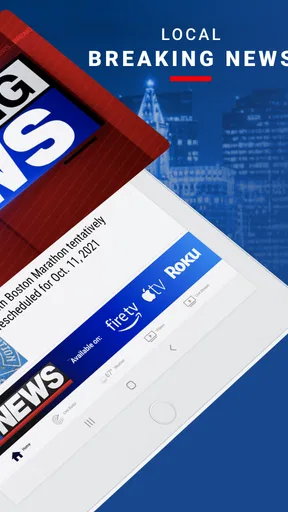
 Analysis by AppCompare
I judge Boston 25 News most useful as a quick local-news companion rather than as a complete replacement for every news source on my phone. It is a free News & Magazines app from Cox Media Group Inc. focused on the Boston area, bringing local reporting together with live video, weather, radar, traffic, and sports. That mix makes sense for people who want practical information tied to the day, especially when the weather or commute can change quickly.
My overall impression is positive, but it depends on what you expect from a local news app. If you want Boston-focused updates and a convenient way to check several everyday topics without opening separate services, it has clear value. If you want a broad national news reader, a highly customizable feed, or a dedicated weather tool with deep forecasting controls, another app may suit you better.
How the app fits into a daily news routine
The first thing I noticed is that the app is organized around usefulness rather than one narrow type of story. A typical visit can move from a local headline to a weather check, then to radar, traffic, or sports. That makes it especially practical during busy moments when I do not want to search through several apps to answer a simple question, such as whether rain is approaching or whether the roads may affect my plans.
The local focus is its defining strength. National apps can tell me what is happening across the country, but they often bury neighborhood-level context under a much larger stream of stories. Boston 25 News feels more relevant when my question is tied to the Boston area. I can open it with a specific purpose instead of scrolling through unrelated headlines for something that affects me.
The app is rated for Everyone, which makes it approachable for a broad household audience. That does not mean every news story will be light or comfortable, since local reporting naturally includes serious events, but the app is positioned as a general news product rather than a specialized service for professionals or a narrow age group.
It has been available since June 11, 2010, giving it a long presence in the mobile news space. Its audience includes over 100 thousand installs, and its average rating is 4.2 from around 4.6 thousand ratings. I treat those figures as a broad sign of reception, not as a guarantee that every person will enjoy the same experience.
What I can check without changing apps
The strongest workflow is a quick morning or pre-departure check. I can look at current local coverage, review weather conditions, examine radar, and check traffic before leaving home. The advantage is not that each section must outperform a specialist service; it is that the information is gathered in a single Boston-oriented place.
Worth Reading Before You Choose

EA SPORTS FC Mobile 26 Is a Bigger Football Game, but It Takes Time

Flipboard Shows What News Apps Must Do Beyond the Feed

Switching to Android Auto Means Rethinking Your Driving Routine

Google Calendar Makes a Crowded Week Easier to Manage

Ludo King Makes the Most of the Minutes Between Plans

Baby Panda World Brings Quick Play to Modern Phones, but Its Game Library Feels Busy
That matters when the decision is small but time-sensitive. Before driving to an appointment, for example, I might want to know whether a developing weather pattern could slow traffic. A general news reader may give me headlines, and a separate weather app may show precipitation, but switching between them adds friction. Here, the local context is already part of the same visit.
Sports coverage also gives the app a useful second rhythm. Weather and traffic are often checked before leaving, while sports may be the reason I return later. The result is a service that can support several short visits throughout the day instead of being limited to one long reading session.
I would not treat that convenience as proof that every section will satisfy a specialist user. Someone who spends a great deal of time comparing forecast details or following sports at a granular level may still prefer dedicated apps. The benefit here is convenience and local focus, not unlimited depth in every category.
Where the free price changes the decision
The app is free, so there is no purchase decision to weigh before trying it. That matters because I can test the local-news workflow without committing money, then decide whether it deserves a regular place on my phone. For a free app, the threshold is mainly usefulness, relevance, and tolerance for any interruptions or interface friction that arise during normal use.
I distinguish free access from guaranteed perfection. A free local-news app can still be worthwhile even if I occasionally prefer another tool for a particular task. In this case, the lack of a purchase cost makes it reasonable to keep Boston 25 News alongside a national news reader or a dedicated weather app rather than forcing it to replace everything.
There is no need to evaluate it as a paid subscription product. The practical question is whether the local coverage and combined news, weather, radar, traffic, and sports experience save enough time to justify keeping it installed. For me, that answer is yes when Boston-area relevance matters.
Useful habits that make the app more effective
One useful habit is to open the app with a question in mind. Instead of treating it as an endless feed, I would use it for a short sequence: check the local situation, inspect weather or radar if needed, then look at traffic before making a travel decision. This approach reduces passive scrolling and makes the app’s mix of sections feel more purposeful.
A second tip is to compare radar with the broader weather context rather than relying on a single glance. Radar can help me understand what is moving nearby, but it is most useful when combined with the surrounding forecast information and the timing of my plans. The app’s value is strongest when I use these tools together, not when I expect one visual layer to answer every weather question.
A third practical use is returning to the app after an initial check. Traffic and weather are conditions that can change, so a single morning visit may not remain useful for an afternoon trip. The app works better as a repeatable checkpoint than as a one-time source of certainty. That is a small distinction, but it changes how dependable the experience feels in real life.
What it does better than broad alternatives
Compared with a national news aggregator, Boston 25 News has a clearer local identity. A broad aggregator may offer more topics and a larger range of publishers, but it can require more filtering before I find something relevant to Boston. This app is more efficient when location matters more than breadth.
Compared with using separate weather, traffic, sports, and news apps, the main advantage is reduced switching. I do not have to remember which service handles which question. That is particularly helpful for casual users who want a dependable local starting point rather than a carefully assembled collection of specialist tools.
The trade-off is depth and flexibility. A general aggregator may provide more viewpoints, while a specialist weather app may offer more detailed controls or forecasting information. Boston 25 News is better understood as a practical local hub. I would use it as the first stop for Boston-oriented information, then move elsewhere when I need a broader or more technical perspective.
Where the experience can feel limited
The same local focus that makes the app convenient can also make it less useful when my interests move beyond the Boston area. If I am traveling, following national developments, or comparing coverage from multiple regions, the app is unlikely to be my only news source. Its purpose is strongest when the local connection is central to the question.
There is also a natural trade-off between several content areas in one app and the depth of a dedicated service. A person who wants news analysis above all else may prefer a publication built around long-form reading. Someone who wants detailed traffic planning may prefer a navigation tool. Someone who follows sports closely may want a service designed specifically for scores, schedules, and team coverage.
I also think users should be realistic about live information. Live video and rapidly changing local conditions are useful, but they are not substitutes for personal judgment. Before making an important travel or safety decision, I would use the app as one source of current context rather than assuming that a headline, radar image, or traffic update captures every detail of the situation.
Another possible friction is attention. Because the app brings together news, weather, traffic, and sports, it can encourage me to keep browsing after the original task is finished. I get more value when I treat it as a focused utility and less when I allow every section to turn a quick check into an extended scroll.
Who is most likely to get real value
I would recommend it first to people who live in or regularly travel around the Boston area and want local information in one free app. Commuters can use the traffic and weather combination before leaving. Residents can use local coverage as a starting point for understanding what is happening nearby. Sports followers may appreciate having that subject alongside the rest of the local coverage.
It may also suit households with different information needs. One person can open it for radar, another for traffic, and another for local headlines or sports. That shared usefulness is more compelling than a single-purpose app when several people want different kinds of Boston-focused updates.
It is less suitable for someone who wants a personalized national news portfolio, extensive international coverage, or a highly specialized weather experience. I would also skip it as a primary source if I rarely care about Boston-area reporting. Free access removes the financial barrier, but it does not make an irrelevant local focus useful.
How it has developed, and what that means now
Its release date places the app in a long-running era of mobile local news, and the current mix of reporting, video, weather, radar, traffic, and sports reflects a broader role than simply delivering headlines. I see that as a useful evolution in purpose: the app can help answer practical questions around a story, not just tell me that something happened. The release date alone does not establish a timeline of individual feature changes, so I would judge its current usefulness by the tools and coverage available to me now.
For an existing user, the main benefit of this combination is continuity in routine. Rather than opening one app for a local story and immediately switching to another to think through its effect on the day, I can use the same local starting point for several related checks. That does not eliminate the need for specialist sources, but it can make ordinary decisions less scattered.
If you are considering installing it, a sensible test is to use it for a few real tasks rather than browsing without a purpose: check local headlines before work, revisit weather and radar before an outdoor plan, or look at traffic before a drive. You will quickly learn whether its Boston focus matches your usual routes and interests. The key question is not whether it contains every possible tool, but whether its local mix earns a place in your own routine.
One practical limitation to keep in mind is that a single local outlet is not the same as a range of independent perspectives. When a story is important or disputed, I would compare its reporting with other reputable sources rather than relying on one app alone. For quick awareness of local developments, the focused experience is an advantage; for a fuller picture, breadth still matters.
My final recommendation
Boston 25 News delivers good practical value because it combines local reporting with live video, weather, radar, traffic, and sports in a free package. I like it most as a quick decision-making tool: open it, understand the local situation, check the conditions that affect my plans, and move on. It does not need to replace every other service to earn a place on my phone.
My recommendation is to try it if Boston is part of your everyday life. The absence of a purchase cost makes testing simple, and the 4.2 average across roughly 4.6 thousand ratings indicates a generally favorable reception. I would keep a broader news source for national and international context and a specialist service when I need deeper weather, traffic, or sports detail.
In short, Boston 25 News is a sensible local companion, not an all-purpose information universe. Its best quality is the connection between local news and practical daily tools. If that combination matches your routine, it offers useful value without asking you to pay for access. If your needs are broader than Boston or more specialized than a local hub can provide, choosing a complementary app—or a different primary source—will be the better decision.
Pros
- Live local news
- weather
- and traffic updates for the Boston area.
- Breaking-news alerts help users stay informed as stories develop.
- Video reports and live streams add context beyond written headlines.
- The interface makes it easy to browse local and regional coverage.
- Weather forecasts include radar and useful short-term conditions.
Cons
- Frequent notifications may feel excessive unless carefully customized.
- Some video content can be interrupted by advertising.
- Coverage is primarily regional and less useful outside New England.
- Certain features may require a stable
- fast internet connection.
- Content availability can vary during major events or technical issues.
FAQs for Boston 25 News
What is Boston 25 News, and what can I do with the app?
Boston 25 News is a mobile news application focused on local coverage for Boston and the surrounding Massachusetts communities. After installing it, users can browse breaking news, watch video reports, read weather updates, follow traffic information, and explore sports and investigative stories. The layout is generally organized around current headlines, making it convenient to check regional developments without visiting the station’s website.
Does the Boston 25 News app provide live news and weather updates?
Yes, the app is designed to deliver timely updates, including breaking news alerts, developing local stories, weather forecasts, severe-weather information, and traffic reports. Depending on your location and the station’s current programming, it may also offer live streaming or video coverage. Availability can vary by event, broadcast rights, internet connection, and regional restrictions, so some content may not always be accessible.
Can I receive notifications from Boston 25 News, and can they be customized?
The app can send push notifications about important local events, breaking stories, weather hazards, traffic disruptions, and other major updates. During setup, you may be asked for permission to receive alerts. Notification settings can usually be adjusted through the app or your device’s system settings, allowing you to reduce or disable certain alerts. Enabling notifications is useful for urgent news, but frequent updates may be distracting.
Is Boston 25 News free to download and use?
Boston 25 News is generally available as a free download for compatible Android and iOS devices. Users can typically read articles, view news videos, check forecasts, and access other standard features without paying a subscription fee. However, the app may contain advertising, and some content or streaming features can depend on location, licensing, or station availability. Mobile data charges may also apply when using cellular networks.
Does the Boston 25 News app require an account or collect personal information?
Many of the app’s basic features can usually be explored without creating a personal account, although certain options may request additional information or permissions. The app may collect technical data, device identifiers, approximate location, usage information, or notification preferences to support advertising, analytics, personalization, and local weather services. Before installing, review the current privacy policy and app-store permissions, especially if privacy is a major concern.


